San Diego Computer Consulting Uses Claude AI For Business

We at San Diego Computer Consulting use Claude for reporting and various automated tasks.

Claude is useful in business mainly for work that involves reading, writing, and thinking carefully through information. It’s especially good when the job involves long documents, clear explanations, or situations where getting the details right really matters.

One area where Claude stands out is working with long or complex text. Businesses use it to read contracts, policies, reports, or research documents and then summarize them, explain them in simpler terms, or point out key issues. Because it can handle large amounts of text at once, you don’t usually need to break documents into smaller pieces to get a useful result.

Rory Ginsburg, He knows Claude.

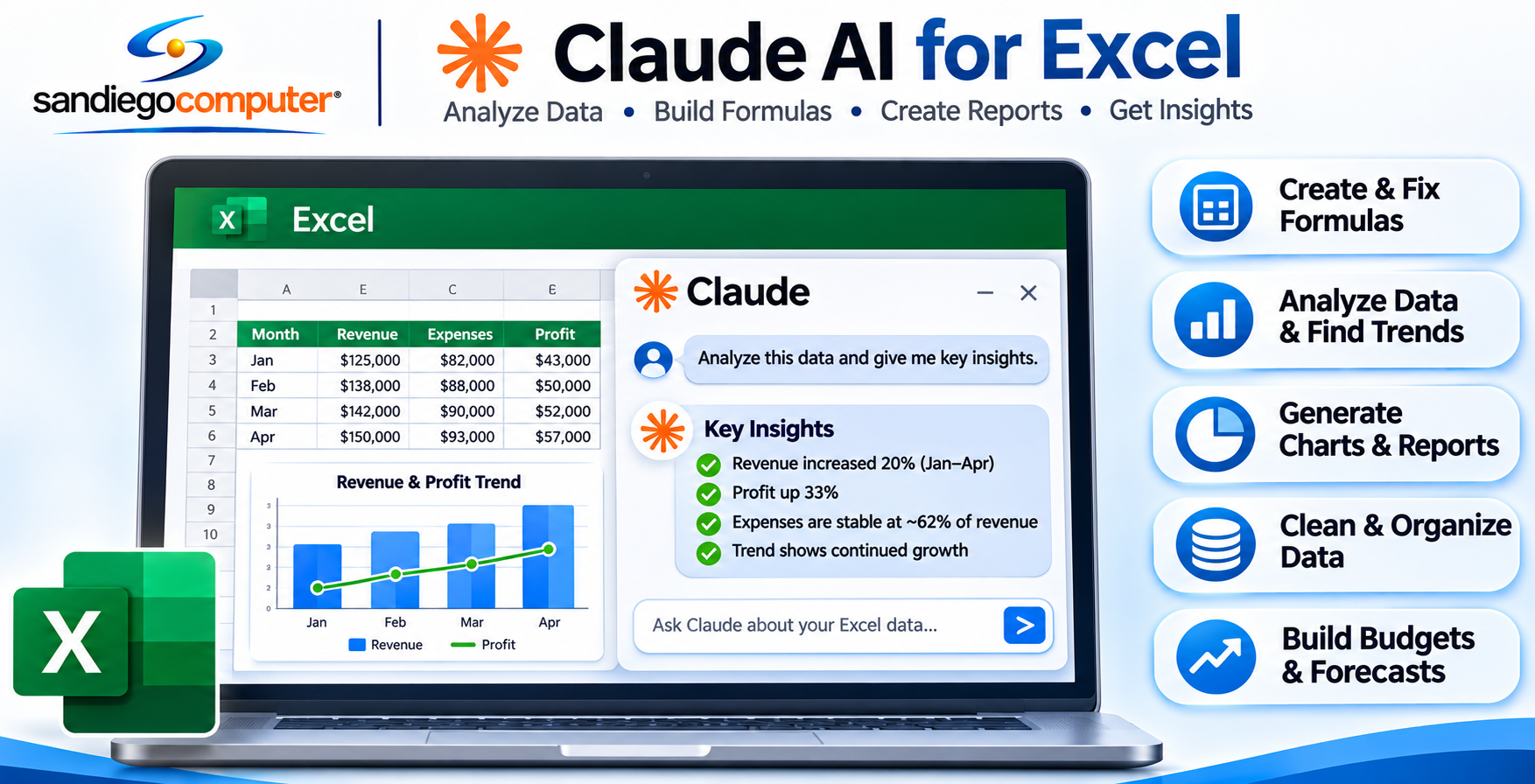
Claude AI for Microsoft Excel – Smarter Spreadsheets and Automated Data Analysis

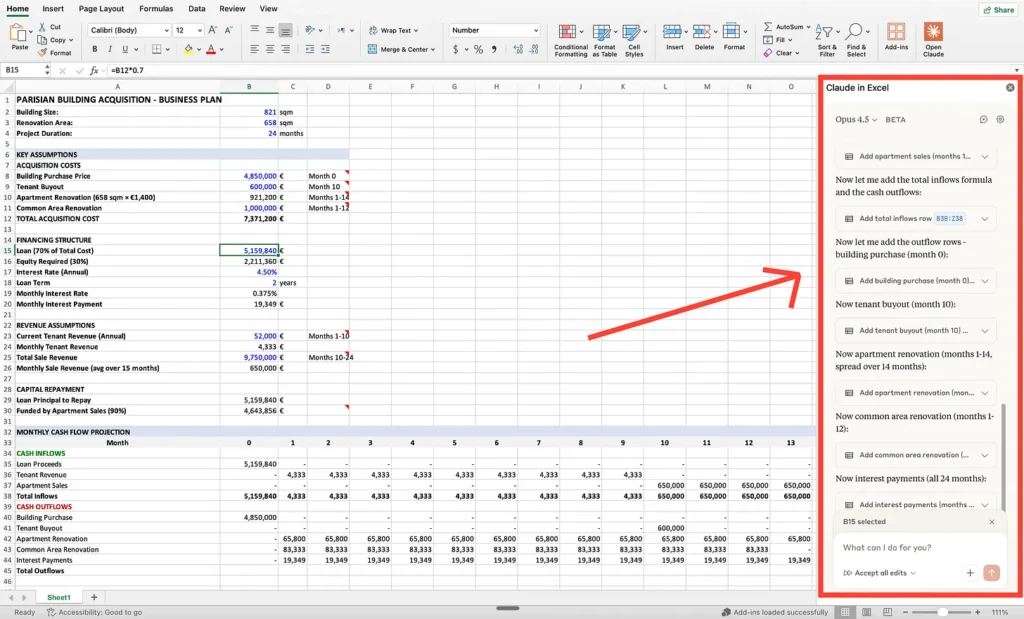
San Diego Computer Consulting® helps businesses harness the power of Claude AI to make Microsoft Excel more intelligent, efficient, and productive. Claude can assist employees with creating complex formulas, analyzing financial spreadsheets, identifying trends, cleaning and organizing data, generating charts, and preparing detailed business reports. Instead of spending hours manually reviewing spreadsheets, employees can ask Claude questions in plain English and receive meaningful insights from their Excel data.

Claude can also help automate repetitive calculations, compare monthly financial results, analyze sales performance, and develop budgets and forecasts. Through supported Microsoft 365 integrations and authorized access to Excel files stored in OneDrive or SharePoint, businesses can incorporate Claude into their existing workflows. Our experienced engineers help configure secure connections, appropriate permissions, and customized AI solutions that allow employees to spend less time working on spreadsheets and more time making informed business decisions.

Claude AI: Business Super Strength for Comparing Spreadsheets

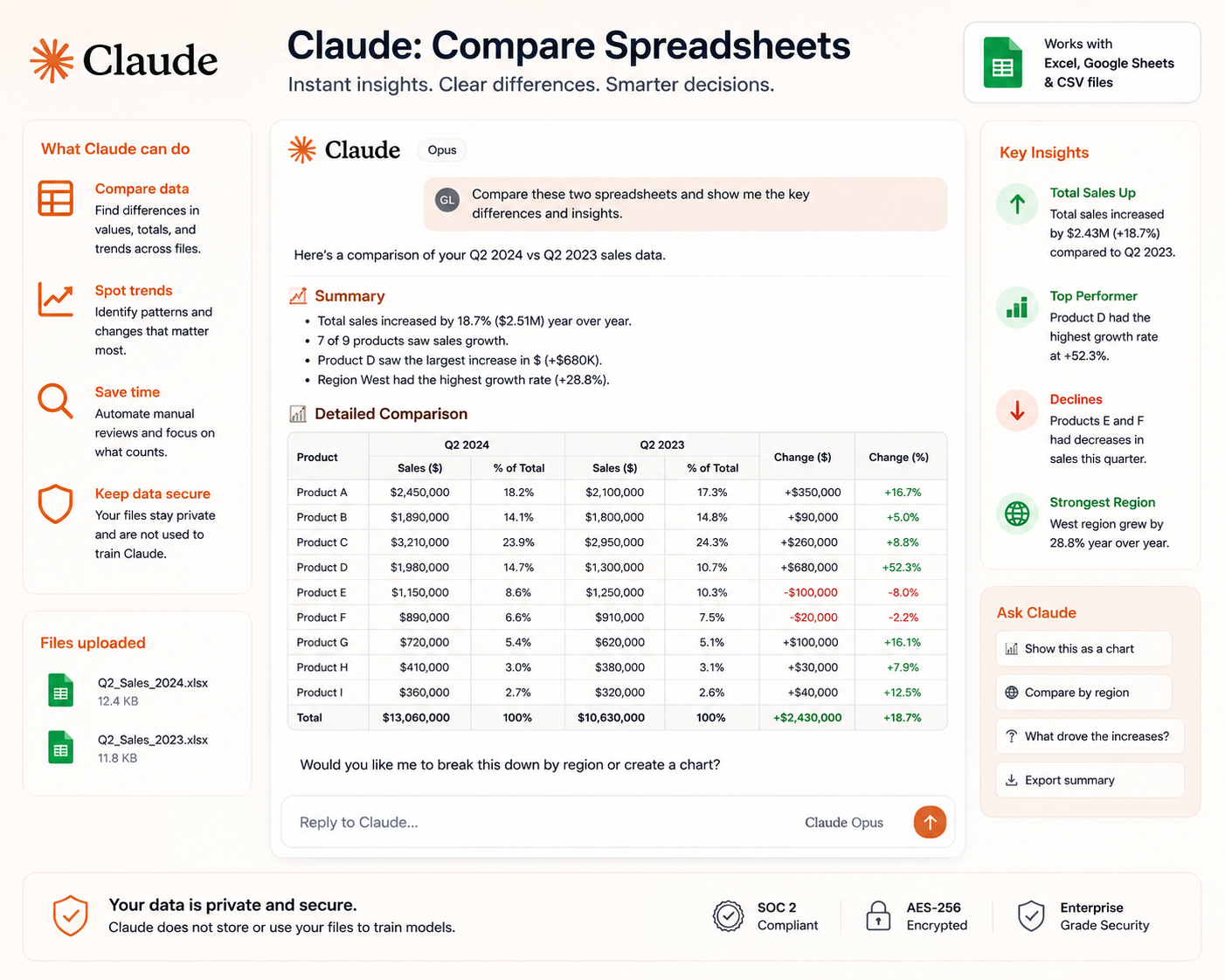
Claude is useful for comparing spreadsheets when the goal is to understand differences, patterns, or issues rather than to work directly inside Excel. Businesses often use it by uploading spreadsheets or pasting tables and then asking Claude to explain how they differ. This works well for things like comparing budgets across versions, spotting changes in forecasts, or reviewing updates between old and new reports.

One strong use case is identifying differences between two spreadsheets. Claude can point out which rows or columns changed, where numbers increased or decreased, and whether those changes are small or significant. Instead of manually scanning cells, you can ask for a summary of what changed and why it might matter at a business level. This is especially helpful for leadership reviews or audit prep, where you want a clear explanation, not just raw data.


San Diego Computer Uses Claude To Help With Accuracy in Billing

Claude is also good at finding patterns and inconsistencies across spreadsheets. For example, it can flag totals that don’t match subtotals, highlight unusual numbers, or point out trends that don’t line up across departments or time periods. This makes it useful for checking financials, sales reports, or operational metrics before they’re shared more widely.

San Diego Computer Consulting uses Claude for internal billing spreadsheets. We are using Claude to help us compare services purchased with services sold between multiple applications. Claude is able to help us simplify comparisons of verbose Excel spreadsheets of data.


Claude is great for importing data to Excel

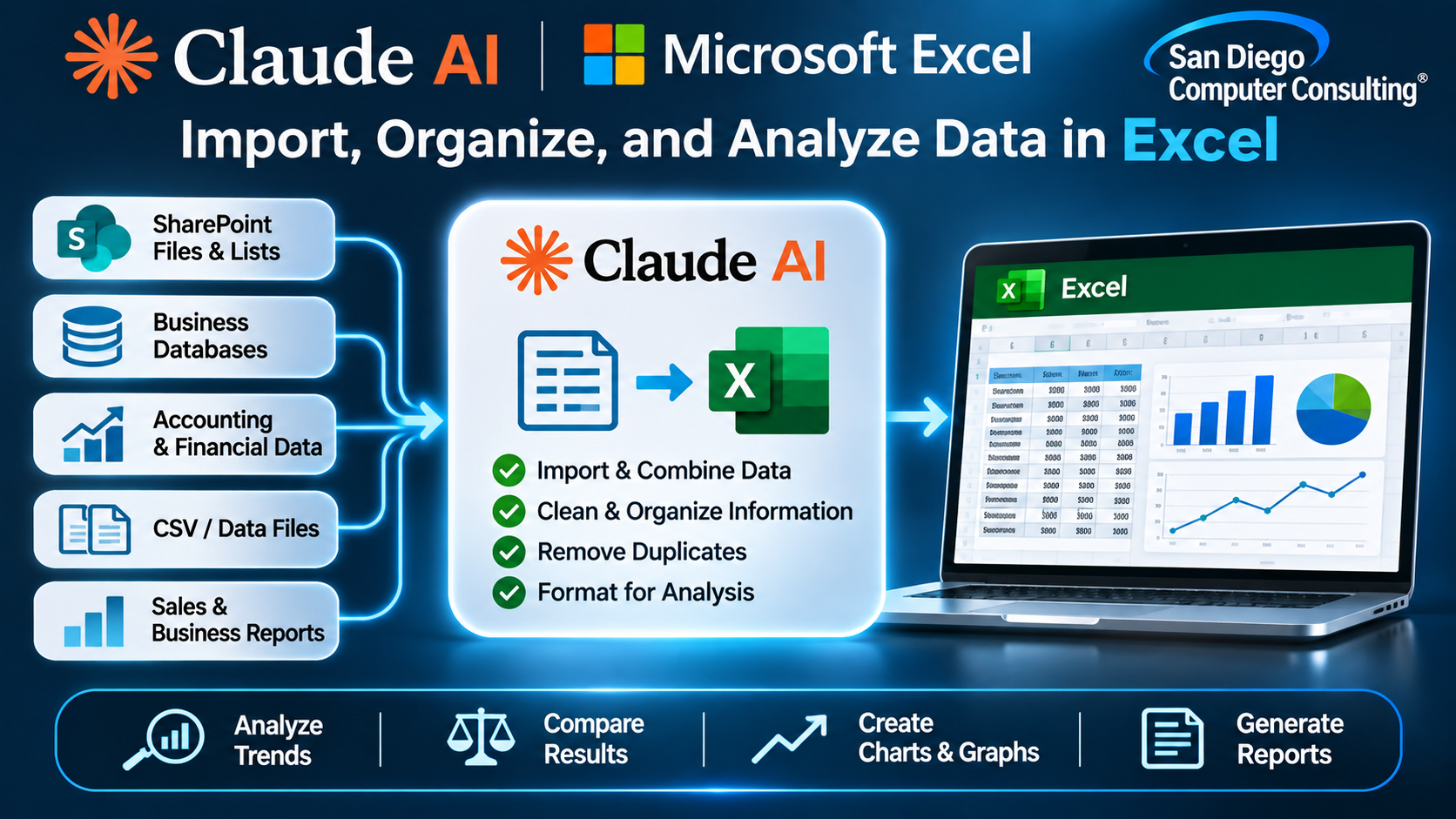
Claude AI makes it easier for businesses to import, organize, and manage information in Microsoft Excel. Using properly configured integrations, Claude can gather data from sources such as SharePoint, accounting systems, customer databases, sales reports, CSV files, and other business applications, then organize that information into structured Excel spreadsheets.

Claude can automatically format columns, clean up inconsistent data, eliminate duplicate entries, and combine information from multiple sources into a single workbook. Once the data is imported, Claude can analyze the results, identify trends, create comparison charts, and generate reports that help businesses make better decisions. San Diego Computer Consulting® helps businesses integrate Claude AI with Microsoft 365, reducing manual data entry, improving accuracy, and making Excel a more powerful tool for everyday business operations.


Claude AI – Creating PowerPoint Presentations from Microsoft Excel Data

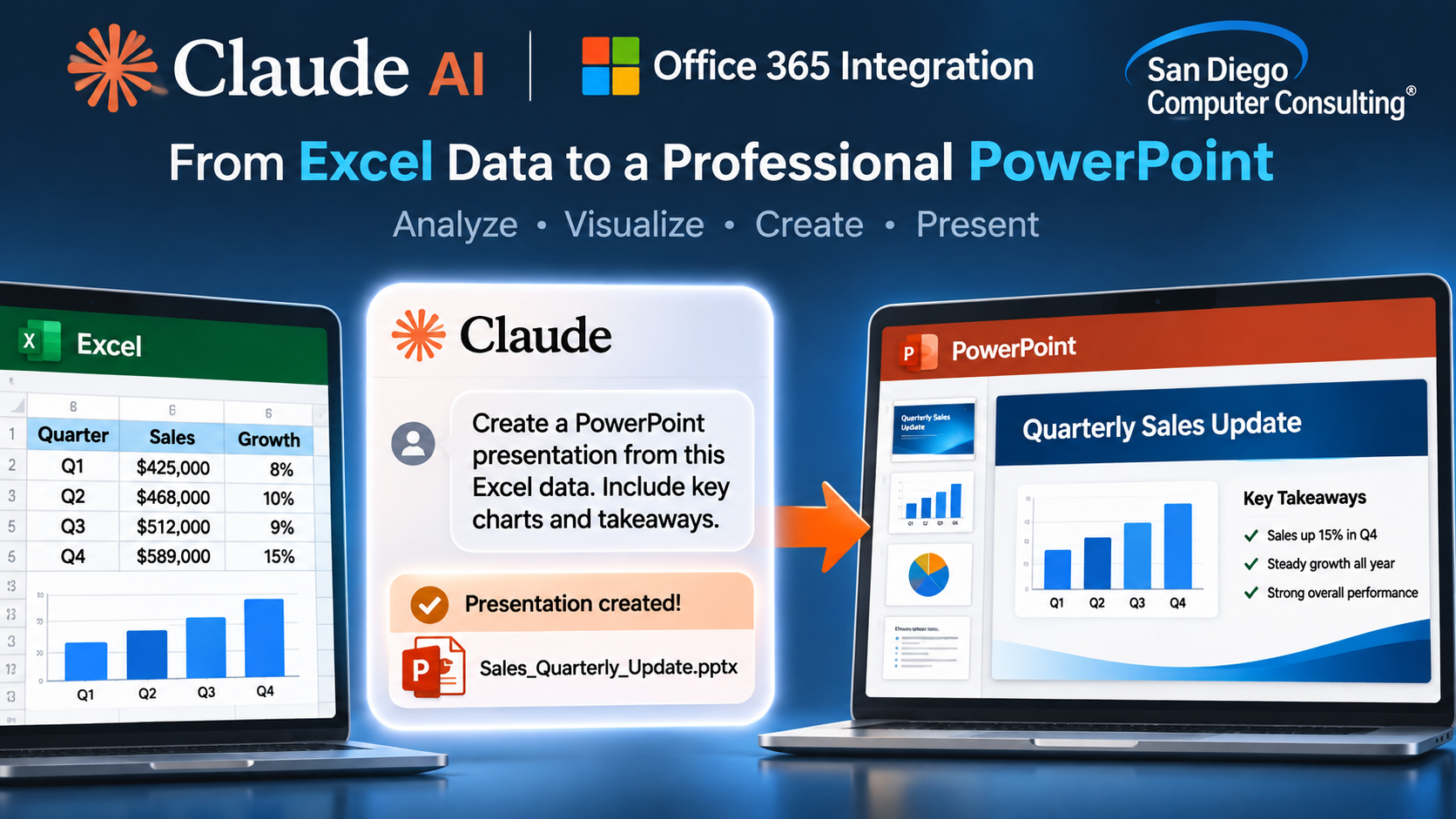
San Diego Computer Consulting® helps businesses use Claude AI to transform Microsoft Excel spreadsheets, charts, and financial data into professional Microsoft PowerPoint presentations. Claude can analyze Excel workbooks, identify important trends, summarize financial results, and help create presentation slides featuring graphs, tables, and business insights. Instead of spending hours manually copying Excel charts and preparing reports, employees can ask

Claude to develop executive presentations, sales reports, budget comparisons, financial forecasts, and management summaries using their existing spreadsheet information. Claude can also help explain complex data in easy-to-understand language, making presentations more meaningful and informative. Our experienced engineers help businesses configure Claude AI, establish secure access to Microsoft 365 files, and develop AI-assisted reporting workflows that save time and improve productivity.


Claude Is Easy. Enhance Your Spreadsheets

Claude makes working with data and everyday tasks simple by allowing users to interact using plain, natural language. Instead of needing technical commands or complex formulas, you can ask questions the same way you would ask a colleague, like “What trends do you see in this spreadsheet?” or “Which customers had the highest growth last quarter?” Claude understands the intent behind these questions and delivers clear, actionable insights.

When it comes to spreadsheets, Claude can quickly analyze large sets of data, identify patterns, summarize key findings, and even highlight anomalies or opportunities. Whether you’re reviewing financials, tracking sales performance, or organizing operational data, Claude turns complex information into easy-to-understand answers—helping teams make faster, smarter decisions without needing advanced data expertise.


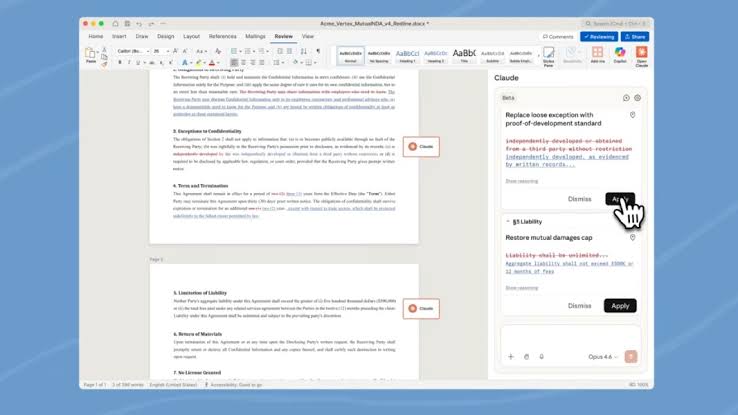
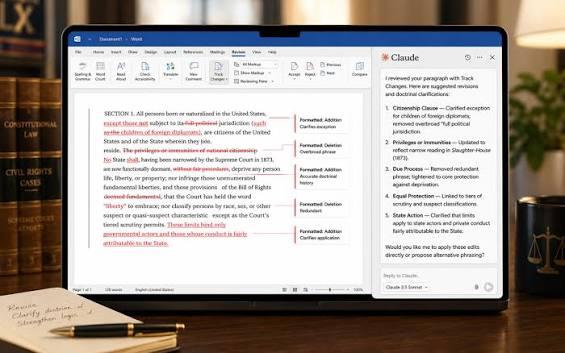
Claude AI – Integration for Microsoft Word

Claude AI brings powerful artificial intelligence to Microsoft Word, helping businesses create, edit, review, and improve documents with greater efficiency. Whether you are preparing business proposals, contracts, employee handbooks, technical documentation, or executive reports, Claude can help transform your ideas into professional, well-organized documents in a fraction of the time.

Key Benefits of Claude AI for Microsoft Word

  • Create Professional Documents: Generate business proposals, letters, reports, policies, and other documents from simple instructions.

  • Edit and Improve Existing Documents: Improve grammar, clarity, formatting, and professional tone while maintaining your original message.

  • Summarize Lengthy Documents: Quickly extract important information from contracts, manuals, reports, and technical documentation.

  • Compare Multiple Documents: Identify differences between contracts, proposals, policies, and document revisions.

  • Integrate SharePoint Information: Retrieve relevant company information from SharePoint to create new documents using existing business data.

  • Leverage Outlook Email: Turn email conversations, customer requests, and project discussions into professional reports and documentation.

  • Create Executive Summaries: Transform complex information into concise, easy-to-understand summaries for management and decision-makers.

  • Maintain Consistent Business Communication: Help employees produce professional documents that reflect your company’s preferred tone and standards.

Common Questions About Claude for Excel

Claude AI enhances Microsoft Excel by helping employees analyze data, create formulas, build spreadsheets, generate charts, and identify important business trends. Instead of spending hours manually working with data, users can ask Claude questions in plain English and receive meaningful answers.

Yes! Claude can review existing spreadsheets, identify patterns, analyze financial information, compare data, and provide recommendations. This is particularly useful for sales reports, financial statements, inventory management, and business performance analysis.

Example: “Analyze our sales spreadsheet and identify our most profitable customers, best-selling products, and monthly revenue trends.”

Absolutely! Claude can create professional Excel spreadsheets based on your instructions, including formulas, tables, financial models, budgets, and charts. Employees can describe what they need without having to build everything manually.

Yes. Claude can generate simple and complex Excel formulas, explain how existing formulas work, and help troubleshoot errors. This includes functions such as VLOOKUP, XLOOKUP, SUMIFS, IF statements, and advanced financial calculations.

Yes! Claude can transform spreadsheet data into meaningful visualizations, including bar charts, line graphs, pie charts, and comparison charts. These visualizations help businesses better understand their data and communicate important findings.

Absolutely. Claude can analyze multiple spreadsheets, identify differences, compare financial results, and combine relevant information into a consolidated report.

Example: “Compare our 2025 and 2026 sales spreadsheets and create a report showing revenue growth by customer, product, and department.”

Yes. With the appropriate Microsoft 365 integration and permissions, Claude can retrieve information from accessible SharePoint files and use that information to create or update Excel spreadsheets. This can significantly reduce the time spent gathering and manually entering data.

Yes. Claude can help identify inconsistent formulas, missing information, duplicate entries, unusual values, and potential calculation errors. This makes it a valuable tool for reviewing financial reports and improving data accuracy.

Yes! Claude can assist with financial projections, expense analysis, budgeting, revenue forecasting, and scenario comparisons. Businesses can use existing financial data to develop forecasts and better understand potential business outcomes.

Common Questions About Claude for Word

Claude AI helps employees create, edit, review, and improve professional Word documents. From business letters and proposals to contracts, policies, and technical documentation, Claude can help produce high-quality content quickly and efficiently.

Absolutely! Claude can generate complete Word documents, including business proposals, employee handbooks, executive reports, meeting summaries, marketing materials, and technical documentation.

Example: “Create a professional business proposal for a new customer that includes our services, pricing, project timeline, and terms.”

Yes. Claude can review existing documents, improve grammar and clarity, adjust the tone, reorganize content, and make documents more professional. It can also help shorten lengthy documents or expand sections that need additional detail.

Absolutely. Claude can compare different versions of a document, identify changes, highlight inconsistencies, and summarize important differences.

Example: “Compare these two versions of our customer service agreement and identify any changes to pricing, cancellation terms, and service obligations.”

Yes! Claude can retrieve relevant information from connected Outlook emails and SharePoint documents and use that information to create professional Word reports, proposals, and summaries.

For example, Claude can review a customer’s email correspondence, locate their existing contract in SharePoint, and create an updated service proposal in Word.

Yes. Claude can follow your company’s writing guidelines, preferred tone, document templates, and formatting instructions. This helps employees produce more consistent and professional business communications throughout your organization.

Common Questions About Claude Connecting Excel and Word

Absolutely! This is one of the most powerful benefits of Claude AI. Claude can analyze Excel spreadsheets and transform the results into a professional Word report, complete with executive summaries, financial analysis, tables, charts, and recommendations.

Example: “Review our quarterly financial spreadsheet and create a Word report for our management team explaining revenue growth, expenses, profitability, and areas of concern.”

Yes. Claude can extract structured information from Word documents, such as customer names, pricing, contract dates, inventory lists, and project details, and organize that information into an Excel spreadsheet for further analysis.

Yes! Claude’s ability to bring information together from multiple Microsoft 365 applications is one of its greatest strengths. Employees can analyze spreadsheets, review email conversations, retrieve SharePoint documents, and create professional business reports without manually gathering information from each application.

Yes. With appropriately configured integrations and workflows, Claude can assist with recurring tasks such as preparing weekly sales reports, generating monthly financial summaries, creating customer proposals, and updating business documentation. More advanced automation can be implemented using custom AI agents and additional integrations.

Common Questions About Security, Integration & Implementation

Claude offers commercial subscription options designed for business use, with security and administrative controls. When connected to Microsoft 365, Claude can use authorized access to company information. San Diego Computer Consulting helps businesses configure authentication, user permissions, and appropriate data protection settings.

Claude’s standard Microsoft 365 connector operates within the access permissions assigned to each employee. San Diego Computer Consulting helps review these permissions to ensure sensitive financial information, personnel records, and confidential business documents are appropriately protected.

Yes, when the appropriate connector capabilities and write permissions are enabled. Claude can create Word and Excel files, and supported integrations can allow those files to be saved to authorized SharePoint locations for collaboration and future use.