Claude AI Automate Agents for Office 365

Claude AI Agent Lists bring powerful artificial intelligence capabilities to Microsoft Office 365, helping businesses automate everyday tasks, improve productivity, and access information across their organization. Through properly configured Microsoft 365 connectors and permissions, Claude agents can assist with Outlook email management, SharePoint document searches, OneDrive file analysis, and meeting preparation. Organizations can create specialized agents for different departments, such as accounting, sales, administration, and IT support. Each agent can be configured with specific responsibilities and access permissions to help protect sensitive company information.

At San Diego Computer Consulting®, we help businesses integrate Claude AI with their Microsoft 365 environment, configure secure connections, establish appropriate user permissions, and deploy AI-assisted workflows that save employees time while maintaining organizational security.
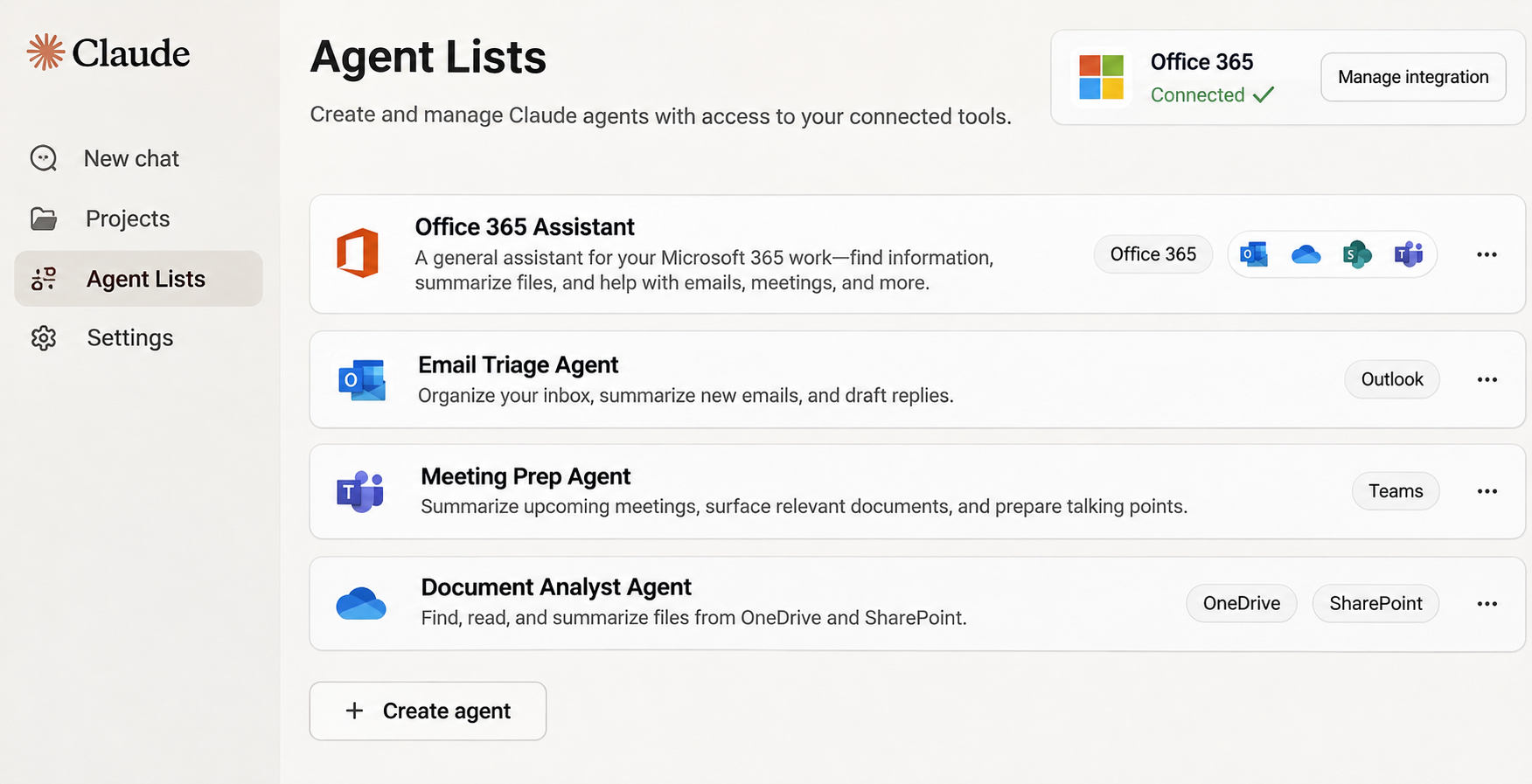
Claude AI Agents Bring Intelligence and Automation to Microsoft Office 365

We can help unlock the power of Claude AI Agents by integrating artificial intelligence with Microsoft Office 365. Claude agents can work with Outlook, SharePoint, OneDrive, and other supported Microsoft 365 services to summarize emails, search company documents, analyze files, prepare reports, and automate repetitive business tasks. Organizations can create specialized AI agents for accounting, sales, administration, management, and IT support, allowing employees to find information faster and accomplish more with less effort. With properly configured Microsoft Entra permissions, secure connectors, and appropriate access controls, businesses can take advantage of AI automation while protecting sensitive company information. Our experienced engineers help configure, deploy, and manage these integrations, transforming Microsoft 365 into a more intelligent and productive business environment.

Let San Diego Computer Consulting Help You with Claude Automate Agent Integration

Send message

Single Sign-on for Claude using Office 365.

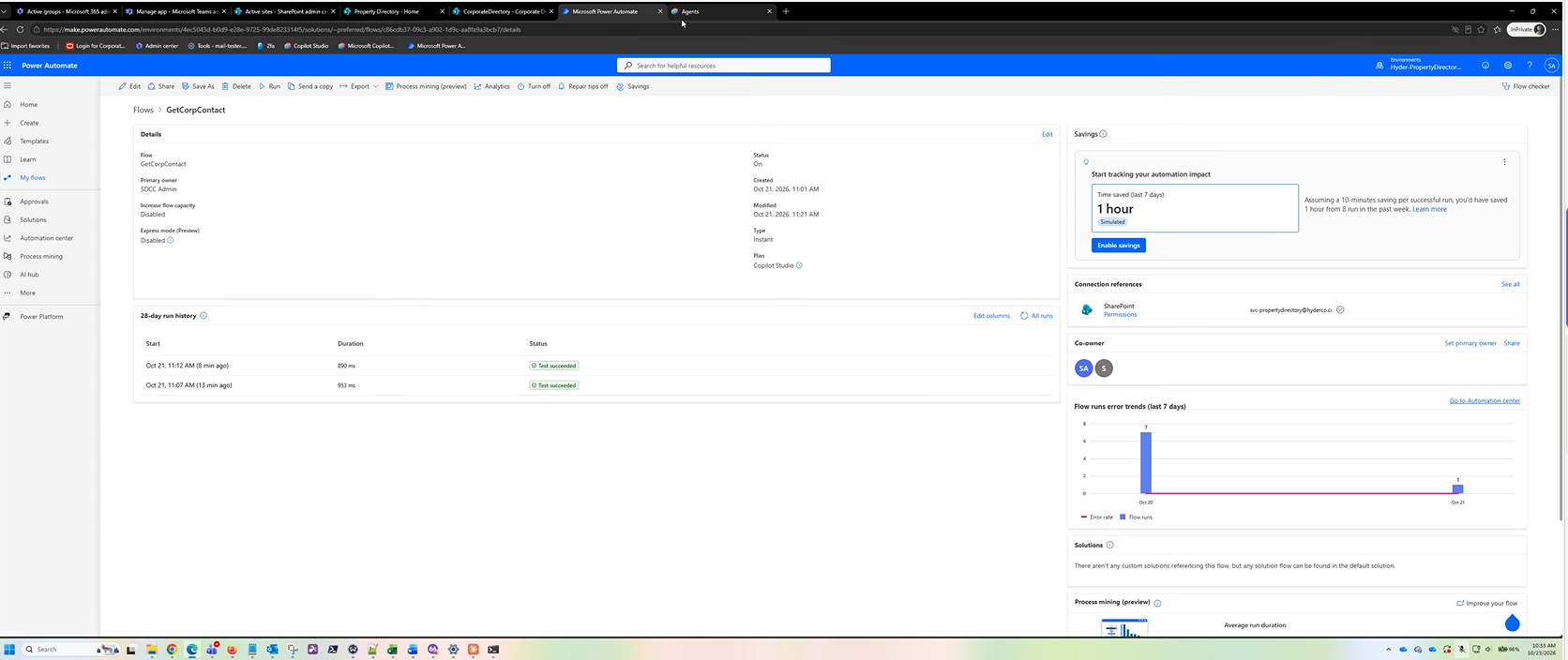
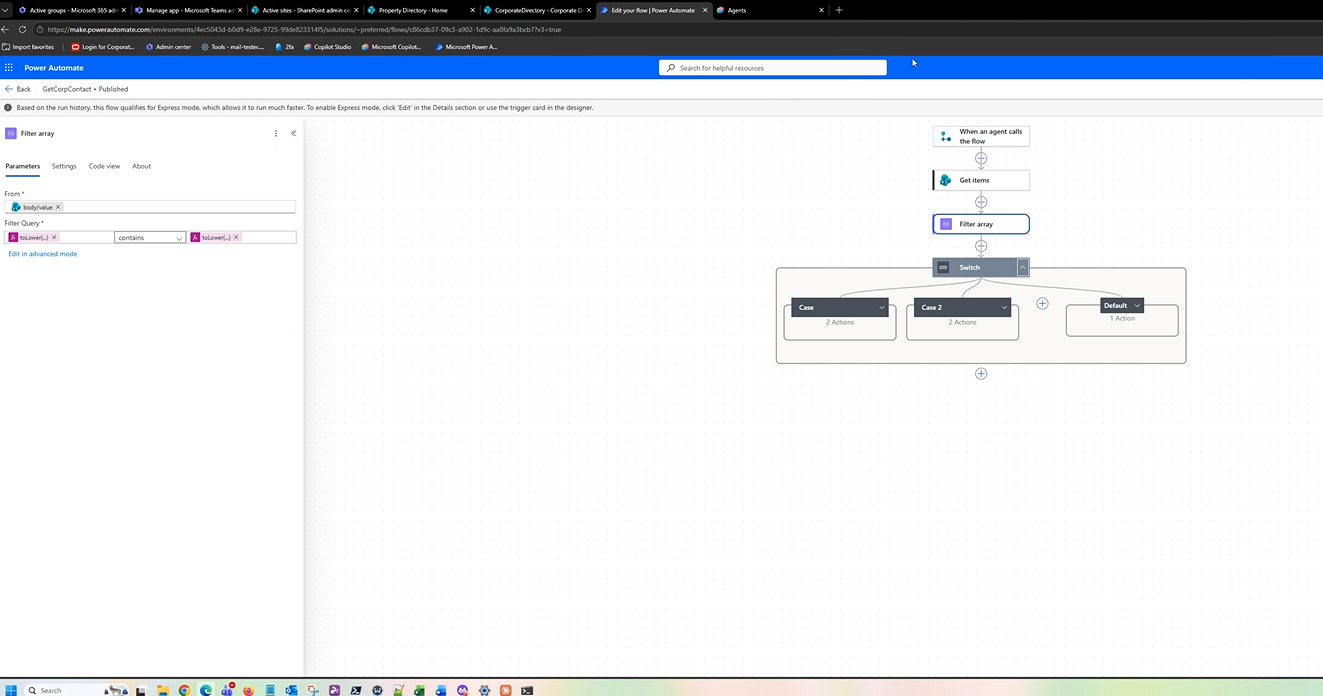
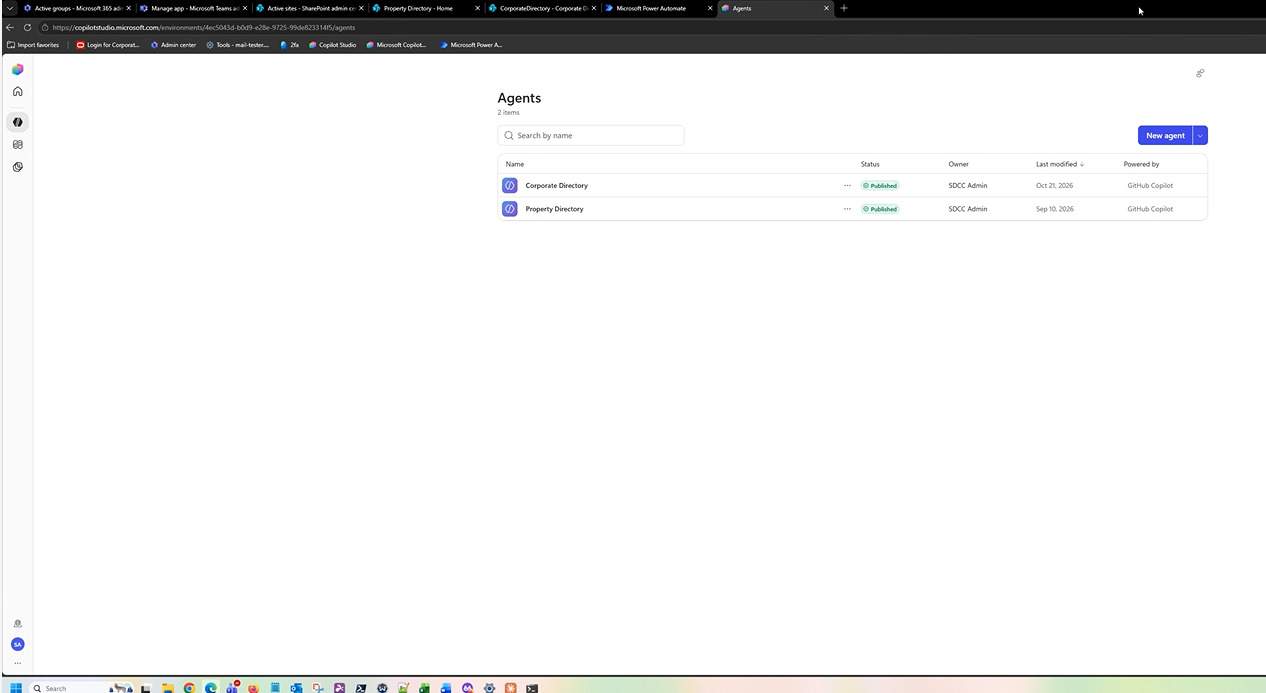
Claude Power Automate Agent Builder

We help businesses monitor and analyze how employees use Claude AI alongside Microsoft 365. By combining Claude’s administrative usage analytics with Microsoft 365 reporting and Entra ID sign-in information, administrators can gain valuable insights into employee adoption, account activity, and AI utilization. Our Claude AI Integration Engineer, O’Ryan Doyle, helps organizations configure reporting dashboards to identify usage trends, monitor security, evaluate licensing needs, and measure the benefits of AI across their workforce.

Building a Claude AI Agent for Office 365

We help turn Claude AI into a practical business tool that works alongside your existing Microsoft 365 applications.

San Diego Computer Consulting helps businesses build and deploy customized Claude AI agents that work with their Microsoft Office 365 environment. These intelligent assistants can be designed to perform specific business functions, including managing Outlook emails, searching SharePoint documents, analyzing OneDrive files, preparing reports, and assisting with everyday administrative tasks. Each agent can be tailored to the needs of individual departments, such as accounting, sales, human resources, and IT support. Our engineers help configure secure Microsoft 365 connections, establish appropriate Microsoft Entra ID permissions, define agent instructions, and implement automated workflows using supported integrations. With proper security controls and user authorization, Claude AI agents can help employees find information faster, reduce repetitive work, and improve productivity throughout the organization.

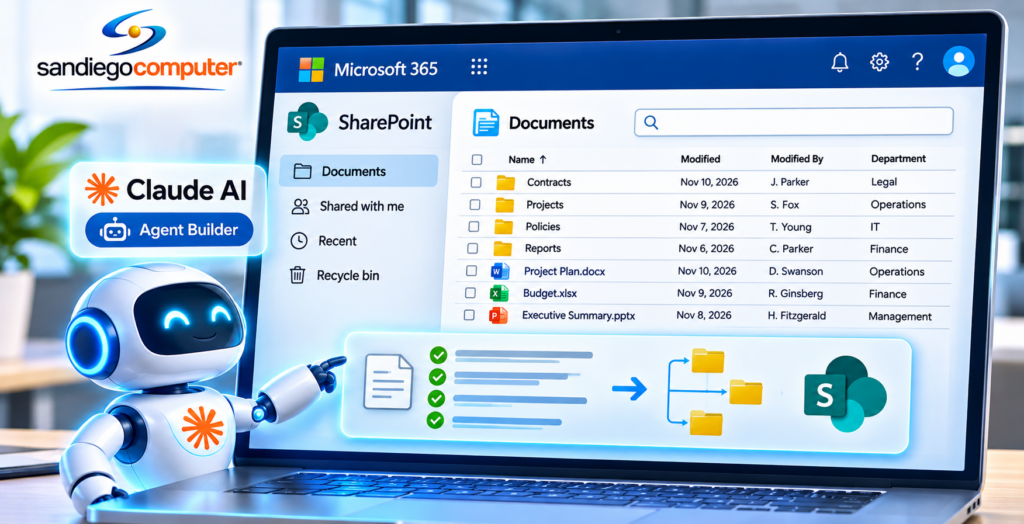
Claude AI Agent for SharePoint

We can show you how to use Claud AI Agent for Microsoft SharePoint turning it into a more intelligent and productive document management system using Claude AI Agents. By securely connecting Claude AI to SharePoint, employees can quickly search thousands of company documents, summarize lengthy reports, analyze spreadsheets, compare contracts, and retrieve important information without manually opening individual files. Custom Claude agents can be designed for specific departments, including accounting, engineering, legal, human resources, and management, helping automate document research, prepare reports, and streamline everyday business workflows. With properly configured Microsoft 365 permissions and secure connections, Claude can access authorized SharePoint information while respecting existing security controls. Our experienced engineers help businesses build, configure, and deploy these AI-powered solutions, allowing employees to spend less time searching for information and more time getting work done.

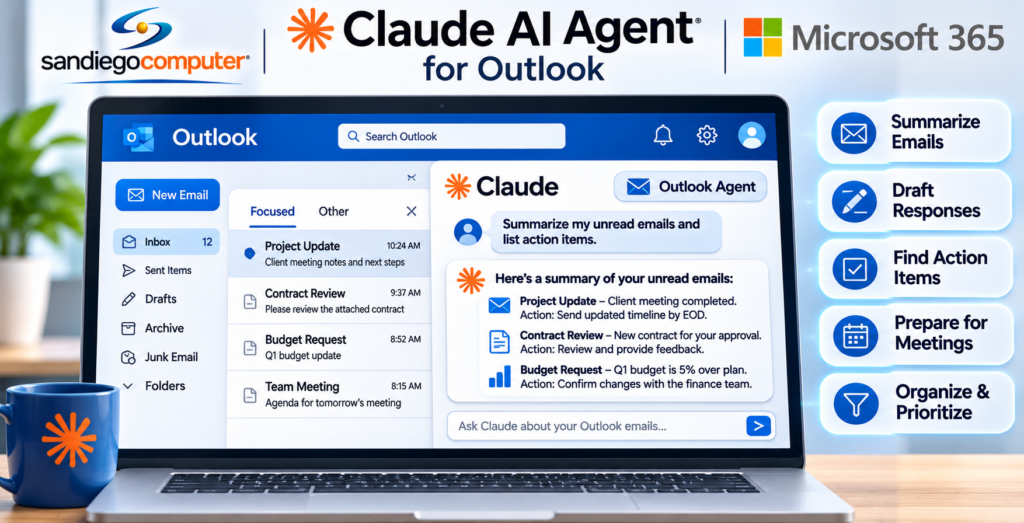
Claude AI Agent for Outlook

With Claude AI working alongside Outlook, employees can spend less time managing email and more time focusing on their customers and business priorities.

Claude AI can analyze incoming emails, summarize lengthy conversations, identify important messages, draft professional responses, and highlight action items that require attention. Claude can also assist with calendar management, meeting preparation, and organizing information from email conversations. Businesses can create customized Outlook agents for sales, customer service, accounting, management, and other departments, helping employees reduce the time spent managing their inboxes. Our engineers configure secure Microsoft 365 connections, establish appropriate user permissions, and help deploy AI-powered workflows while maintaining control over sensitive company information.

Common Questions & Answers About Claude AI Agents for Office 365


A Claude AI Agent is an intelligent digital assistant that can connect with Microsoft 365 applications to help employees automate tasks, retrieve information, analyze documents, and improve productivity. Claude can work with supported Microsoft 365 services, including Outlook, SharePoint, and OneDrive, through authorized connectors.

Claude AI helps employees save time, reduce repetitive administrative work, locate important information, prepare documents, and communicate more efficiently. By bringing artificial intelligence to existing Microsoft 365 resources, businesses can improve productivity without abandoning the applications their employees already use.

Claude AI connects to Microsoft 365 using supported integrations and secure authentication through Microsoft Entra ID. Once authorized, Claude can access permitted information from Outlook, SharePoint, and OneDrive, allowing employees to work with company information using natural-language requests.

Yes. With the appropriate Outlook integration, Claude AI can read authorized emails, summarize conversations, identify important messages, and draft professional responses. Where supported and explicitly authorized, Claude can also assist with sending emails, making it valuable for customer service, sales, and administrative departments.

Absolutely. Claude AI can search accessible SharePoint document libraries, locate important files, summarize documents, compare information, and answer questions based on company records. This is especially valuable for organizations with thousands of documents stored in SharePoint.

Yes. Businesses can create customized Claude-powered agents for accounting, sales, human resources, engineering, management, and IT support. Each agent can be given specific instructions, approved tools, and defined responsibilities to help employees perform department-specific tasks.

Claude’s agent-building capabilities allow organizations to develop AI assistants for specific business functions. Depending on the Claude product and deployment method, businesses can configure agent instructions, connect approved data sources, define available tools, and test automated workflows before deploying them to employees.

Yes. Claude can analyze authorized SharePoint documents, OneDrive files, spreadsheets, and Outlook information to help prepare summaries, management reports, project updates, and business analyses. This reduces the time employees spend manually collecting and organizing information.

Claude AI can be integrated using Microsoft Entra ID authentication, authorized connectors, and carefully configured permissions. Access should be limited to the information required for each business function. Administrators should also review data-handling policies, audit requirements, and approval controls before enabling automated actions.

Not automatically. Claude’s access depends on the connector, the authenticated user’s permissions, and any additional authorization granted to the integration. Administrators can configure appropriate access restrictions to help prevent agents from accessing unauthorized information.

Yes. Claude-powered workflows can assist with email summaries, document research, report preparation, information extraction, and other repetitive administrative activities. More advanced automation may require additional connectors, tools, or custom development.

Yes. Organizations can deploy approved Claude tools and integrations to employees or departments, subject to licensing, security policies, and available deployment methods. San Diego Computer Consulting® can assist with planning, configuration, user access, and endpoint deployment using management platforms such as NinjaOne where supported.

San Diego Computer Consulting helps businesses plan, configure, and deploy Claude AI solutions that integrate with Microsoft Office 365. Our experienced engineers assist with Microsoft Entra ID authentication, secure connector configuration, SharePoint and Outlook integration, custom agent development, permission management, and employee deployment. We focus on building practical AI solutions that improve productivity while maintaining appropriate security controls.

Absolutely. Businesses can develop customized agents for accounting, sales, engineering, human resources, management, and IT support. Each agent can be configured with department-specific instructions and approved access to relevant information, helping employees accomplish routine tasks more efficiently.

The greatest advantage is helping employees accomplish more in less time. Instead of manually searching documents, reviewing lengthy email conversations, gathering information, and preparing routine reports, employees can ask Claude AI to assist with these activities. The result is faster access to information, reduced administrative work, and greater productivity throughout the organization.